
CSCS Brand Guidelines
Download Assets From One Drive
Submit an Internal Marketing Request
Why Our Brand Matters

Protecting Our Identity. Unifying Our Community.
Our brand is more than a logo or a color palette—it’s the visual and verbal expression of who we are, what we stand for, and the mission that unites us. Every time we create something—whether it’s a t-shirt, a flyer, or a social media post—we’re telling a story about our values, our culture, and our community.
That’s why brand guidelines matter.
They exist to ensure consistency, clarity, and excellence across all touchpoints. When we all follow the same standards, we build recognition, strengthen trust, and create a sense of belonging for students, families, staff, and supporters.
Upholding these guidelines is not about limiting creativity—it’s about aligning our efforts so that our message is strong, clear, and unmistakably us. We’re one team, one voice, and when we protect the brand, we amplify everything we represent.
Let’s honor that together.
Approved Logos & Marks


Official School Colors
The color standards that apply to the Colorado Springs Christian Schools visual identity are detailed here. Color specifications must never be altered under any circumstance.
Which color code should I use?
Different types of color codes are used for different mediums and purposes.
- CMYK is used for 4 color printing – use this color code if you are printing on our color printers or sending an example to Shop CSCS.
- RGB and HEX values are both used to render color on a screen. If your piece will be viewed digitally, you should use one of these color codes.

CMYK: 96, 72, 52, 57
RGB: 0, 42, 58
HEX: #002a3a

CMYK: 30, 28, 55, 1
RGB: 182, 169, 129
HEX: #b6a981
Accent Color

CMYK: 35, 11, 13, 0
RGB: 166, 198, 211
HEX: #a6c6d3
Brand Fonts
The approved font famlies for all school materials are Proxima Nova and Montserrat. Secondarily, Lato, Verdana, Arial, and Times New Roman may also be used in the specific cases listed below.
Headlines
Proxima Nova (Bold)
Lato (Bold): Acceptable alternative
Body Copy
Montserrat
Verdana: Acceptable for email
Arial: Acceptable for email
Times New Roman: Acceptable for letterhead
Employee Email Signature
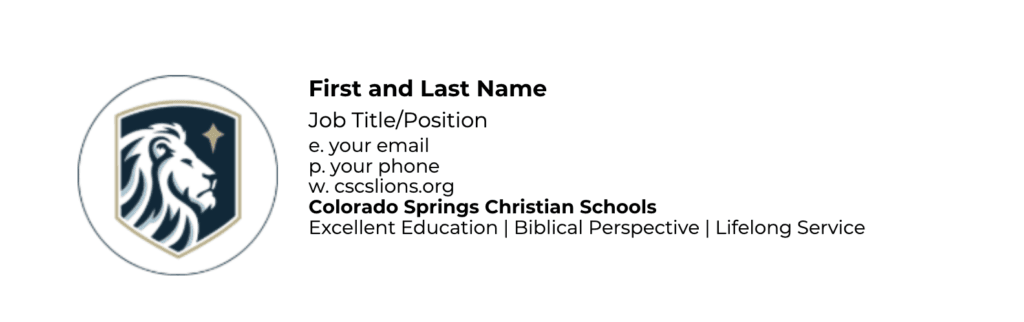
Instructions for Updating Your Email Signature in Outlook
Access the Template Signature:
Go to the OneDrive link where the employee email signature template is stored.
Important: Before making any changes, make a copy of the Word document. Right-click on the document and select “Make a copy.” This ensures you have a backup version in case you need it later.
Update Your Information:
- Open the copied document and fill in your correct details in the appropriate fields (name, title, phone number, etc.).
Copy Your Updated Signature:
Once you’ve updated your information, highlight the entire email signature (including your name, title, contact information, and logo).
Right-click the highlighted text and select Copy or press
Ctrl + C(Windows) orCmd + C(Mac).
Add Your Signature to Outlook:
Open Outlook and click on the Settings wheel in the top right corner.
Select Account from the menu.
Select Signatures in the secondary menu.
In the Signatures tab, click New Signature.
Name your signature and paste your updated signature into the editing box by pressing
Ctrl + V(Windows) orCmd + V(Mac).Click OK to save your new signature.
Need Assistance?
If you run into any issues or need help setting up your signature, feel free to schedule a meeting with Steph Bush. I’m happy to guide you through the process.
[email protected] or 719-268-5429
school hours
School Year: M-F 7:30 am -3:30 pm
Summer: M-TH 9am – 3pm
Address
CS Campus:
4855 Mallow Road
Colorado Springs, CO 80907
WP Campus:
1003 Tamarac Parkway
Woodland Park, CO 80863
Phone
Admissions: 719-268-2188
Administration: 719-599-3553
CS High School: 719-535-2727
CS Middle School: 719-535-8968
CS Elementary: 719-535-8965
Woodland Park: 719-686-0706
